How to install the Story Workbench
- Make sure you have Java 1.5 installed; if on Windows or Linux, make sure it is Sun Java or, if on a Mac, check that the latest software updates have been applied.
- Download the Story Workbench installation files
- Unzip the file into the directory where you want to install the application (For example, to your desktop). You may wish create a shortcut to the "workbench" application inside the "workbench" folder.
- Run the Story Workbench.
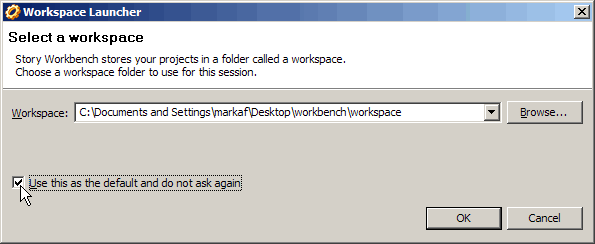
- In the "Workspace Launcher" dialog, press "Use this as default and do not ask again" for the default workspace location. Select OK.